When your teacher releases a grade, the assignment shows Your grade and a View report link. The report is your paper with your teacher's feedback on it.
The grade
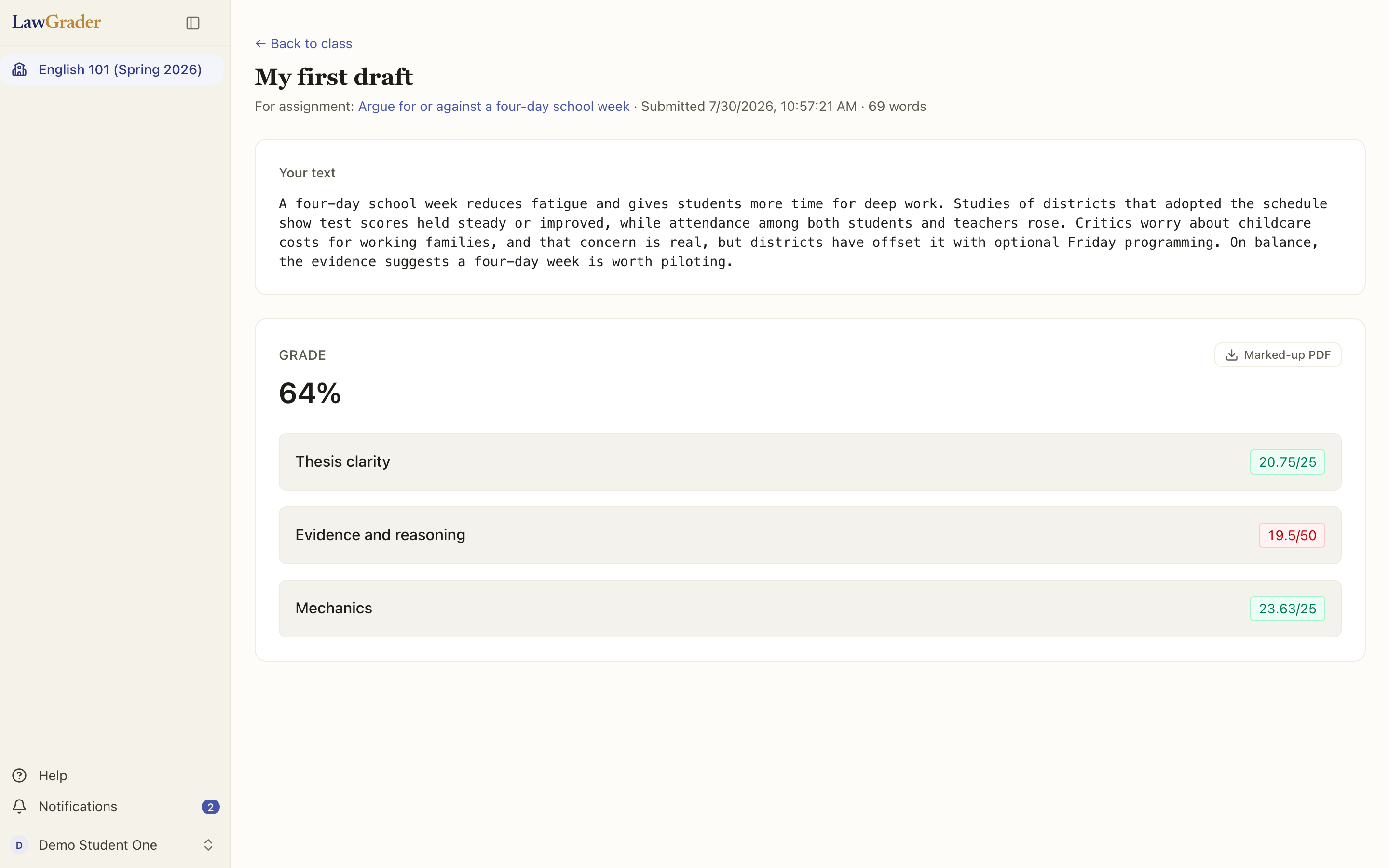
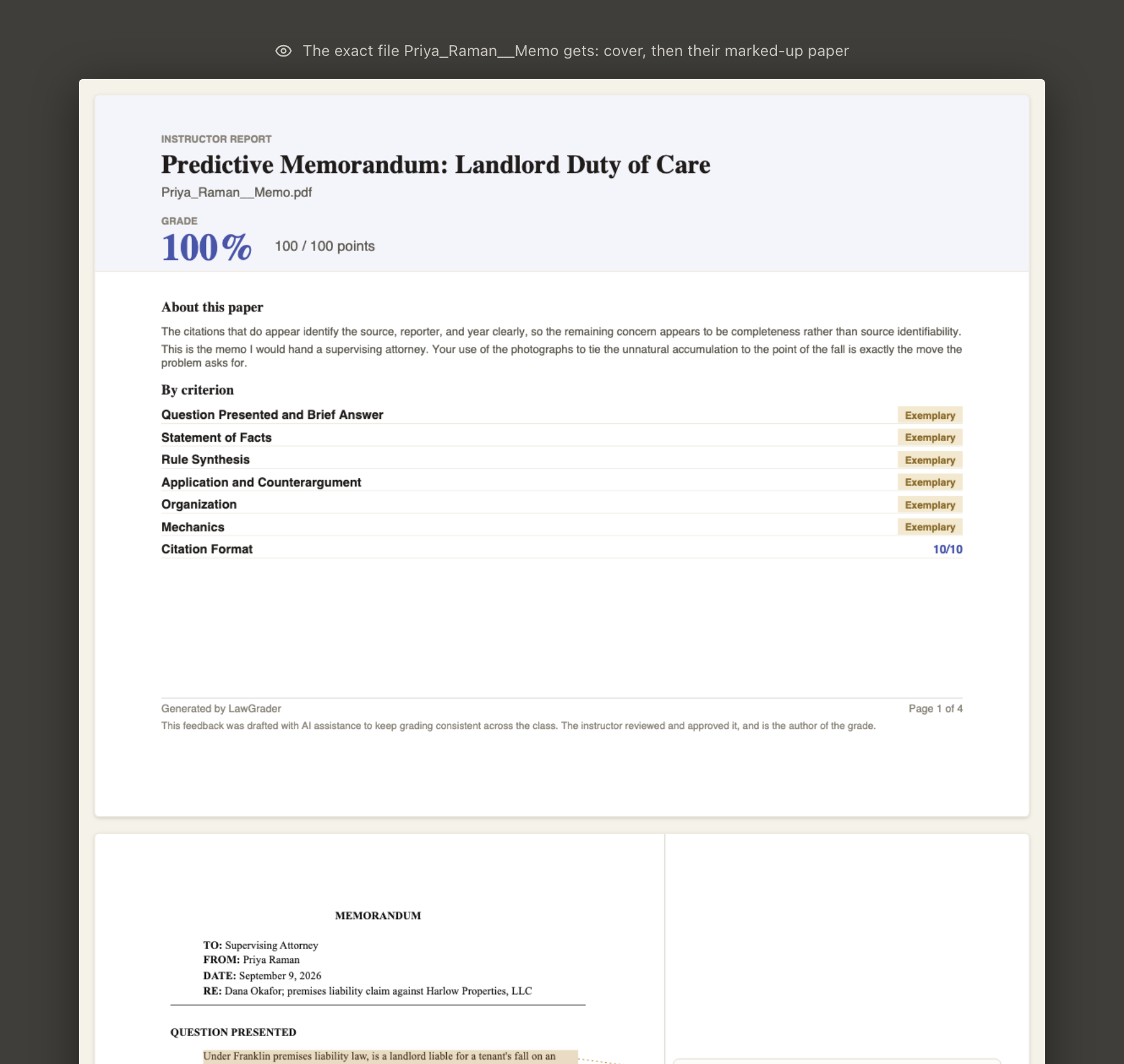
At the top of the report is your grade as your teacher chose to show it: a percentage, points out of the total, or a rank, sometimes two of these together. Under it, if your teacher turned it on, each criterion of the rubric with the points you earned. If your teacher curved the class or adjusted your grade, a line under those scores says so ("Class curve +2.9"), so the scores add up to the grade at the top. Some reports also show Where you stand: for each criterion, the range most of the class landed in, with a marker for you. It shows the shape of the class, never a rank or a percentile, so you can see that you trail on one criterion and lead on another.
The written feedback
The Overview is a short summary of your paper as a whole. What to work on next, if your teacher includes it, is advice for your next piece of writing rather than a list of fixes for this one. Notes on the whole paper collects every comment that is not pinned to one passage of your paper, each labelled with the part of the rubric it is about; when a note is about a passage that could not be marked on the page, the passage is quoted above it. Every other comment is in the margin of your paper, beside the words it is about.
The margin notes
After the cover comes your paper with the feedback in the margins, each note beside the passage it is about. A highlighted passage with a note next to it is a comment; a struck-through passage with new words above the line is a suggested rewrite. Every comment on the report is one your teacher chose to show you. Your teacher may also have chosen a clean copy of your paper with no annotations, or attached the assignment prompt and the full rubric at the end.
Keeping a copy
Download on the assignment saves the report PDF. If you handed in a Word document, a second download gives you your own document back, with your teacher's suggested rewrites as tracked changes and the released comments in Word's review pane, so you can accept or reject each change as you revise.
Your report stays available on the assignment for as long as you are in the class, so you do not need to save it the day it arrives.
If something looks wrong
Grades and comments come from your teacher; the assistant only helps them read. If a grade seems mistaken or a comment refers to something that is not in your paper, tell your teacher the way you normally would. Your teacher can re-open, re-grade and re-release a paper, and a released grade can be taken back and corrected.