Grading one paper at a time is how you validate the grader. Once you are confident, you can grade the whole class in a single pass and then review, instead of opening each paper yourself.
When to use it
Bulk grading is available as soon as the assignment has a rubric. It is worth validating the grader against your grading first, so the class is graded closer to your standard.
Running it
The button above the submission list says what it will do. With nothing selected it reads Grade N ungraded and grades every paper that has not been graded yet. Tick some rows first and it reads Grade N selected and grades only those. To re-grade papers that already carry a grade, use the caret beside the button.
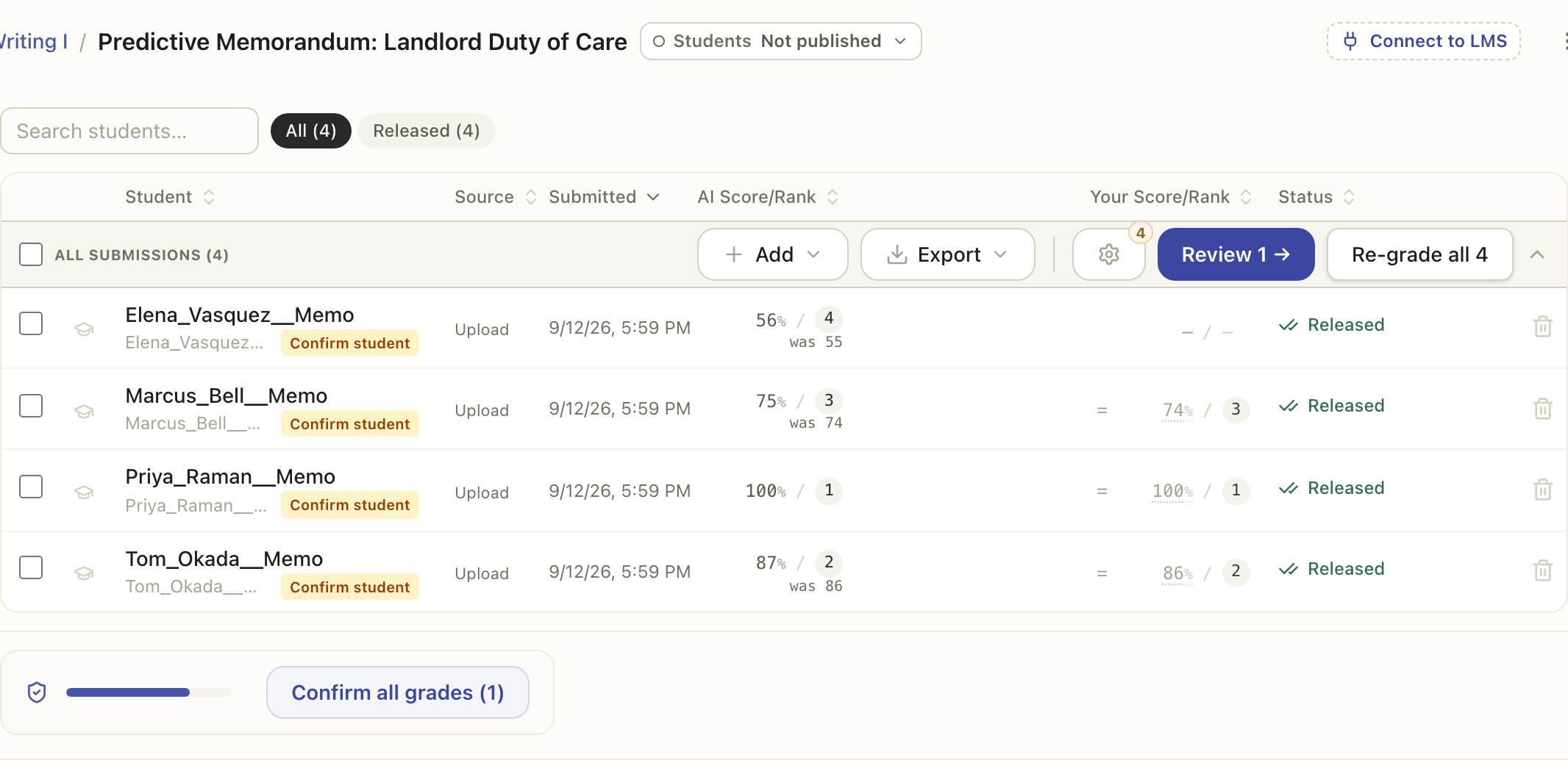
Either way the whole set is graded together in one run: every paper is graded at the same time, so a full stack finishes much faster than opening and grading each one on its own. You can watch its progress, and stop it if you need to.
You will see one confirmation before the run starts, and only when there is something to say: what it will cost in credits, or what is still unvalidated. Tick Don't ask again on it and future runs start on the click. A run that would go past your credit balance still asks, and you can turn the confirmation back on in Settings, under Grading.
You still decide
Bulk grading proposes scores for the whole class at once, but it does not release anything. When it finishes, you review the results, adjust anything that needs it, and only then release. Grading at scale and releasing are still separate steps, so nothing reaches a student until you say so.